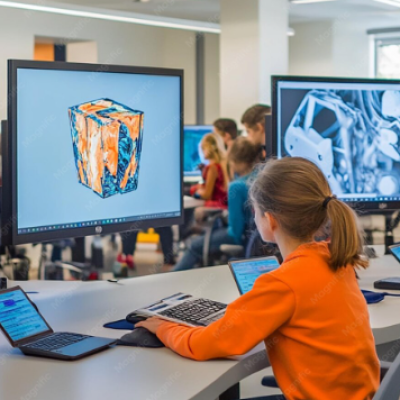
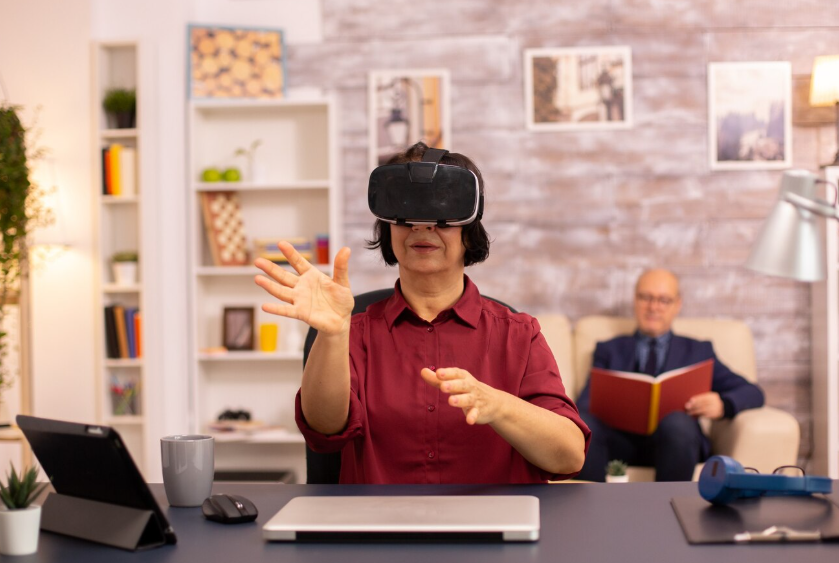
Technology has become an important part of modern education, changing how students access information, complete assignments, communicate with teachers, and develop digital skills. Gadgets such as tablets, laptops, smartphones, interactive displays, and educational devices can provide learners with convenient access to digital resources. When used appropriately, these tools can support classroom instruction and independent study while making learning more interactive. Gadgets education focuses on understanding how technology can be used effectively for academic purposes rather than simply using devices for entertainment. As schools and learners increasingly rely on digital resources, knowing how to select, use, and manage educational gadgets can help create more organized and engaging learning experiences.
What Is Gadgets Education?
Gadgets education refers to learning and teaching approaches that involve electronic devices as tools for education. These devices can include tablets, laptops, smartphones, e-readers, digital writing tools, calculators, interactive displays, and specialized educational equipment.
The purpose is not simply to place technology in a classroom. Instead, educational gadgets should support specific learning objectives. A tablet, for example, can provide access to digital textbooks, learning applications, research resources, quizzes, and educational videos.
Effective use requires students and teachers to understand both the benefits and limitations of technology.
Common Educational Gadgets
Different gadgets serve different learning needs. Laptops are useful for research, writing, presentations, coding, and online classes. Tablets can provide portable access to textbooks, educational applications, videos, and interactive exercises.
Interactive displays can help teachers present visual content to an entire class. Digital calculators can assist with mathematical work, while e-readers can provide access to large collections of digital books.
Headphones can also support individual listening activities, language learning, and multimedia lessons. The most appropriate device depends on the student’s age, subject, learning objective, and available resources.
Benefits of Technology in Learning
Educational gadgets can make information easier to access. Students can search digital libraries, watch instructional content, use reference tools, and communicate with instructors without relying exclusively on printed materials.
Technology can also support different learning styles. Visual learners may benefit from diagrams and videos, while interactive exercises can give students opportunities to practice concepts.
Another benefit is convenience. A single device can contain textbooks, notes, assignments, calendars, and educational applications. This can reduce the need to carry multiple physical resources.
However, technology works best when it complements effective teaching rather than replacing meaningful instruction.
Gadgets in the Classroom
Teachers can use technology to present lessons, demonstrate concepts, conduct quizzes, and organize classroom activities. Interactive displays can make presentations more dynamic, while tablets and computers can allow students to complete exercises individually.
Digital assignments can also make it easier for teachers to distribute materials and collect student work.
The effectiveness of classroom technology depends on how it is integrated into the lesson. A gadget should have a clear educational purpose. Simply using a device does not automatically improve learning.
Online Learning and Digital Devices
Online education relies heavily on digital devices. Students may use laptops, tablets, or smartphones to attend virtual classes, access course materials, submit assignments, and communicate with teachers.
Reliable technology can therefore be important for students studying remotely. A suitable device should provide enough processing power, storage, battery life, and connectivity for the required learning applications.
Students should also understand basic digital organization. Creating folders, managing files, backing up work, and maintaining secure passwords can make online learning easier.
Personalized Learning
Technology can support personalized learning by allowing students to work at different speeds. Some educational applications provide exercises based on a student’s performance and can offer additional practice when needed.
This approach can help learners spend more time on difficult topics while progressing more quickly through subjects they already understand.
Personalization should still be combined with teacher guidance. Educators can help students interpret their progress, identify learning gaps, and choose appropriate resources.
Developing Digital Skills
Using educational gadgets can help students develop practical digital skills. These skills are increasingly relevant in higher education and many professional environments.
Students can learn how to research information, create documents, organize digital files, communicate online, use productivity software, and evaluate digital sources.
Digital literacy also involves understanding online safety and responsible technology use. Students should know how to identify unreliable information, protect personal data, and communicate respectfully in digital environments.
Gadgets for Different Age Groups
The appropriate technology depends heavily on the learner’s age. Younger students may benefit from simple, supervised devices and educational applications designed around basic concepts.
Older students can use more advanced tools for research, writing, presentations, programming, design, and collaboration.
Teenagers and college students may require laptops or other devices capable of supporting specialized academic software.
Parents and educators should consider developmental needs rather than assuming that more advanced technology is always better.
Accessibility and Inclusive Learning
Educational technology can also support students with different learning needs. Text-to-speech tools, captions, screen magnification, speech recognition, and adjustable display settings can make digital resources more accessible.
Students who have difficulty using traditional materials may benefit from alternative digital formats.
Accessibility features vary between devices and applications, so schools and families should identify the tools that match individual learning requirements.
Choosing Educational Gadgets
Selecting a device should begin with the educational purpose. A student who mainly reads digital textbooks may have different requirements from someone studying programming or graphic design.
Important considerations can include screen size, battery life, storage capacity, operating system compatibility, durability, keyboard availability, and access to required software.
Cost should also be considered. An expensive device is not necessarily the most appropriate educational tool. A simpler device may provide everything needed for a particular course.
Internet Access and the Digital Divide
Technology-based education depends on access to reliable devices and internet services. Not every student has the same level of access at home.
This difference can create challenges when assignments require online research, digital platforms, or virtual classes.
Schools and educational organizations can help address this issue through device lending programs, computer labs, internet access initiatives, and alternative learning resources.
Equal access is important because technology should expand educational opportunities rather than create additional barriers.
Screen Time and Healthy Technology Habits
Excessive screen use can create challenges for students. Long periods of device use may contribute to tiredness, reduced physical activity, or difficulty maintaining healthy routines.
Students can benefit from regular breaks, appropriate screen positioning, outdoor activity, and time away from digital devices.
Teachers and parents can also encourage a balance between technology-based activities and traditional reading, writing, physical activities, discussion, and hands-on learning.
Online Safety
Digital safety is an essential part of gadgets education. Students should understand how to protect passwords, recognize suspicious messages, and avoid sharing unnecessary personal information.
Schools can teach students about privacy, secure accounts, responsible communication, and appropriate online behavior.
Parents can reinforce these lessons by discussing safe internet practices and establishing age-appropriate technology rules.
The Future of Educational Gadgets
Educational technology is continuing to develop. Artificial intelligence, virtual reality, augmented reality, interactive software, and connected learning devices may provide new ways to present educational material.
Future tools may allow students to explore complex subjects through simulations and interactive environments.
However, technology should continue to serve educational goals. Devices are tools, and their value depends on how effectively teachers and students use them.
Frequently Asked Questions
What is gadgets education?
Gadgets education refers to using electronic devices such as tablets, laptops, smartphones, and interactive tools to support teaching and learning.
Which gadgets are useful for students?
Common educational gadgets include laptops, tablets, e-readers, calculators, headphones, and interactive learning devices. The right choice depends on the student’s age and academic requirements.
Can gadgets improve learning?
Gadgets can support learning by providing access to digital resources, interactive activities, research materials, and communication tools. Their effectiveness depends on appropriate educational use.
Are smartphones useful for education?
Smartphones can provide access to educational applications, digital resources, dictionaries, calculators, and communication platforms. Their use should be guided by appropriate classroom and school policies.
How can students stay safe while using educational technology?
Students should use strong passwords, protect personal information, avoid suspicious links, and follow responsible online communication practices.
Can technology support students with disabilities?
Yes. Features such as captions, text-to-speech, speech recognition, magnification, and adjustable displays can make digital learning more accessible.
Is expensive technology necessary for education?
No. The best device depends on the actual learning requirements. A reasonably priced device can be sufficient when it supports the necessary applications and educational resources.
How can students manage screen time?
Students can take regular breaks, maintain healthy study routines, spend time on physical activities, and balance digital learning with offline educational activities.
Conclusion
Gadgets education demonstrates how digital devices can become useful tools for modern learning when they are selected and used with clear educational goals. Laptops, tablets, smartphones, interactive displays, and accessibility tools can provide students with flexible access to information and learning resources. At the same time, effective technology use requires digital literacy, online safety, healthy screen habits, and appropriate guidance from educators and parents. Access and affordability also remain important considerations as schools increasingly incorporate technology into education. As new devices and digital learning systems continue to develop, the focus should remain on using technology to strengthen learning, encourage useful skills, and provide students with meaningful educational opportunities.
| Read Also : Steps to Advance Your Carrer with Confidence |