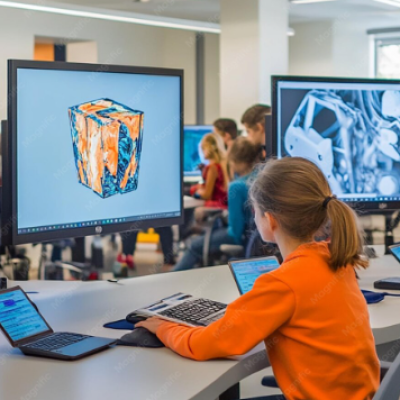
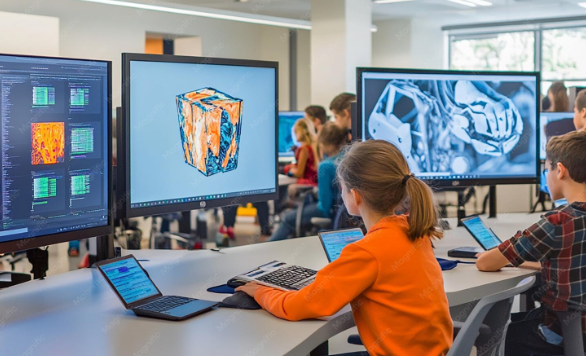
Digital tools have become an important part of learning, particularly in subjects connected to design, engineering, architecture, construction, manufacturing, and creative technology. Autodesk Education provides access to software and learning resources that can help eligible students and educators develop practical digital skills. Instead of learning technical concepts only through textbooks, students can use design software to create models, drawings, simulations, and other projects. This type of learning can connect classroom concepts with practical applications while helping students become familiar with tools used across many professional industries.
What Is Autodesk Education?
Autodesk Education refers to educational access and resources provided by Autodesk for eligible students, educators, and institutions.
The company develops software used in areas such as architecture, engineering, construction, product design, manufacturing, media, and entertainment. Educational access allows qualifying users to work with selected Autodesk products for learning and teaching purposes.
The specific software available can depend on eligibility, institution status, region, and current Autodesk educational offerings.
Learning Through Digital Design
Digital design gives students an opportunity to turn ideas into visual and technical projects. Instead of drawing every concept by hand, learners can create digital models that can be edited, reviewed, and improved.
This process can encourage experimentation because students can make changes without having to recreate an entire project from the beginning.
Digital design also introduces students to workflows that are common in technical and creative industries.
Architecture and Building Design
Architecture students can use digital design tools to explore building concepts, floor plans, three-dimensional models, and other elements of architectural work.
Working digitally can help learners understand relationships between dimensions, spaces, materials, and structures.
Students can also revise their designs as they receive feedback, allowing the software to become part of an iterative learning process.
Engineering Education
Engineering education often requires students to understand technical drawings, measurements, systems, structures, and physical relationships.
Computer-aided design tools can support these concepts by allowing learners to create and examine digital representations.
Students can use projects to explore how components fit together, how designs can be modified, and how technical requirements influence decisions.
Product Design and Manufacturing
Product design education can benefit from digital modeling because students can move from an initial idea toward a more detailed representation.
Learners can explore dimensions, components, shapes, materials, and manufacturing considerations during project work.
This can help students understand that successful product development involves more than creating an attractive design. Practical requirements, usability, production methods, and technical specifications also matter.
3D Modeling Skills
Three-dimensional modeling is an important digital skill in many technical fields.
Students can learn how to create objects, modify forms, organize components, and examine designs from different perspectives.
The process can strengthen spatial reasoning because learners need to understand how two-dimensional drawings translate into three-dimensional forms.
These skills can also provide a foundation for more advanced design projects.
Developing Technical Creativity
Technology does not have to limit creativity. Digital design software can give students additional ways to experiment with ideas.
A learner might begin with a rough concept and gradually develop it into a detailed digital model. Multiple versions can be created and compared before selecting an approach.
This combination of creativity and technical thinking can make design-based assignments more engaging.
Project-Based Learning
Autodesk software can support project-based learning when students are asked to solve realistic design problems.
For example, an instructor might give students a challenge involving a building, product, mechanical component, or manufacturing concept.
Students can research the problem, develop possible solutions, create digital models, explain their decisions, and revise their work based on feedback.
This approach makes the learning process more active than simply memorizing technical terminology.
Collaboration in Digital Projects
Modern design projects are rarely completed by one person working entirely alone. Architects, engineers, designers, builders, manufacturers, and other specialists often collaborate.
Digital tools can help students understand this collaborative environment.
Class projects can involve shared files, peer feedback, presentations, and team-based design activities. These experiences can help learners practice communication alongside technical skills.
Autodesk Software in Education
Autodesk offers a broad portfolio of software used across different industries. Depending on the educational program and current eligibility requirements, learners may encounter tools associated with CAD, 3D design, architecture, engineering, construction, manufacturing, animation, and other creative fields.
Students should check the current educational access requirements before attempting to use a particular product.
Different courses may also require different tools, so instructors can select software that matches their learning objectives.
Benefits for Educators
Teachers and instructors can use digital design tools to create more practical learning experiences.
Instead of explaining every concept through static diagrams, educators can demonstrate how a design develops from one stage to another.
Teachers can also assign digital projects that allow students to demonstrate their understanding through models, drawings, presentations, and technical work.
This can provide another way to evaluate learning beyond conventional written examinations.
Building Career Awareness
Students who work with professional design software can gain a clearer understanding of the technologies used in technical industries.
Early exposure does not guarantee employment, but it can help students identify areas they may want to explore further.
A student who enjoys architectural modeling may become interested in architecture or construction. Another learner may discover an interest in product design, mechanical engineering, manufacturing, or digital media.
Developing Transferable Skills
Digital design education can support skills that extend beyond a single software application.
Students can practice problem-solving, precision, organization, visual communication, project planning, and attention to detail.
These abilities can remain useful even when learners later move to different tools or technologies.
The goal should therefore be broader than simply learning where to find individual software commands.
Importance of Instructor Guidance
Software can provide powerful capabilities, but effective instruction remains important.
Students may need guidance on design principles, technical standards, project requirements, and appropriate workflows.
An instructor can help learners understand why a particular design decision works rather than simply showing them how to perform a software function.
This distinction can lead to deeper technical understanding.
Accessibility and Educational Opportunities
Educational software programs can reduce barriers for eligible learners by providing access to tools that might otherwise be expensive.
However, access requirements can vary. Students should review the current eligibility rules, institution requirements, and licensing conditions before using educational access.
Schools and educators should also consider whether students have suitable computers, internet connections, and other resources needed to participate effectively.
Learning Beyond the Classroom
Students can continue developing digital design skills outside regular class assignments.
Personal projects can provide opportunities to practice modeling, explore new techniques, and build a portfolio of work.
A student might recreate a simple object, develop a room design, create a mechanical component, or experiment with a new modeling approach.
Independent practice can reinforce concepts introduced during formal instruction.
Creating a Digital Portfolio
A strong portfolio can demonstrate what a student can actually create.
Digital design projects can be documented through screenshots, renderings, technical drawings, models, and project explanations.
Students should focus on showing their process as well as the finished result. Explaining the problem, design choices, revisions, and final outcome can make a project more informative.
Challenges of Learning Design Software
Technical software can have a learning curve. Beginners may initially find menus, commands, tools, and workflows difficult to understand.
Large projects can also require considerable computer resources and careful file organization.
Students can make progress by learning fundamental concepts first and gradually moving toward more advanced features. Regular practice and constructive feedback can make the learning process more manageable.
Frequently Asked Questions
What is Autodesk Education?
Autodesk Education provides educational software access and resources for eligible students, educators, and institutions.
Who can use Autodesk educational software?
Eligibility depends on Autodesk’s current educational requirements. Students and educators should verify their status and institution information before applying.
What subjects can use Autodesk software?
Autodesk tools can support subjects related to architecture, engineering, construction, manufacturing, product design, 3D modeling, and digital media.
Can students use Autodesk tools for projects?
Yes, educational software can be used for learning activities and academic projects subject to the applicable licensing terms.
Does learning Autodesk software help with careers?
Learning design software can help students develop technical and transferable skills relevant to industries that use digital design tools. Career outcomes depend on education, experience, portfolio quality, and other qualifications.
Is Autodesk Education suitable for beginners?
Many students can begin with introductory projects and gradually develop more advanced skills. Instructor support and structured practice can make the learning process easier.
Conclusion
Autodesk Education can bring digital design into classrooms by giving eligible learners and educators access to tools used across architecture, engineering, construction, manufacturing, product development, and creative technology. Through modeling, technical drawing, project work, and digital collaboration, students can connect academic concepts with practical applications. The greatest value comes from using software as part of a broader learning process that includes problem-solving, creativity, technical knowledge, and feedback. With appropriate instruction and regular practice, digital design tools can help learners develop skills that support both further education and future technical projects.
| Read Also : How Education Empowers Minds and Shapes Futures |